
New features
-
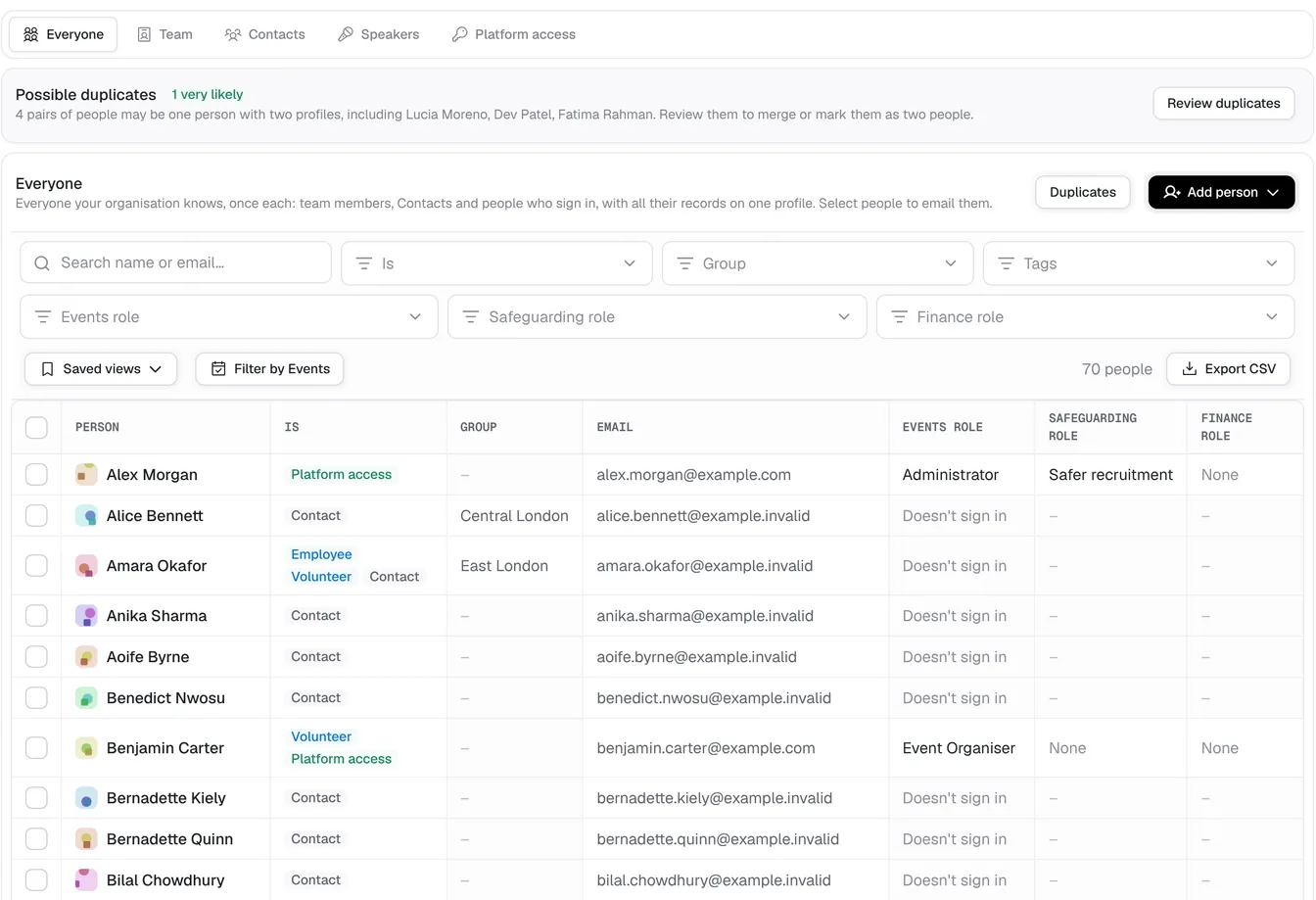
One profile for every person: Each person now has one profile that brings together their Contact, their team record and their sign-in, in a single People list.
-
Sign in without a password: Sign in with a code sent to your email, a passkey or the work account you already use.
-
Event feedback: Ask attendees how an Event went once it ends, by email or with a link and QR code, and see the answers on the Event.
-
Event photos and videos: Keep an Event's photos and videos in one place, make them public once everyone in them has agreed, and show them as highlights on its public page after it ends.
-
Event tasks: Give an Event's team its own to-dos, each with a due date, an assignee, comments and a history.
-
Event goals and reflections: Set goals for each Event, mark them met afterwards, and record what went well, what to improve and ideas for next time.
-
Event notes: Keep meeting notes on each Event, with every change kept in the note's history.
-
Connections between people: Record how people are connected, such as family, who invited whom or a mentor, and see a map of your organisation's connections.
-
Choose what each Event uses: Switch off what an Event won't need, such as Tickets, speakers or the schedule, so its pages show only what matters.
-
Event add-ons: Offer extras with Tickets, such as a T-shirt, a meal or transport, free or paid, with choices, stock and a picture.
-
Required donations with free Tickets: Ask for a donation, once or monthly or yearly, to book an Event's free Tickets, with Gift Aid where it applies.
-
Locations: See every venue your Events have used, how often and when, and each venue's Events.
-
Recorded gifts: Record standing orders, transfers, cash and cheques given outside StewardStack against each Contact.
-
Speaker passes and helpers: Keep a speaker off the public page, send them a pass to scan in on the day, and add helpers to an Event team without giving them access.
-
Event team sections: Put each Event team member in a section, like Music or Kitchen, and see the team grouped by it.
-
Unfinished bookings: Bookers are told when they haven't finished booking, and organisers see the bookings left unfinished.
-
Ticket order: Move an Event's Tickets up and down to choose the order bookers see them in.
-
Most per booking: Cap how many of a Ticket one booking can take.
-
Attendee phone numbers: Choose for each Ticket whether to hide, ask for or require the attendee's phone number.
-
Quarterly and yearly instalments: Let bookers pay for a Ticket quarterly or yearly, with the instalment price shown on the Ticket.
-
Open documents in the app: Open Word, Excel, CSV and text documents without downloading them.
-
Change a scheduled email: Change the time of a scheduled newsletter or Event email, edit it, or send it now.
-
Gift Aid ticked by default: Choose for each donation link whether its Gift Aid declaration starts ticked.
-
Province or state: Organisations in Canada, Australia and the United States can have their province or state set.
-
Conference apps: Connect a conference app to one Event with its own key to read registrations and record attendance.
-
New on our website: Read about StewardStack for ministries, churches, conferences, parishes and charities, compare us with other tools, see our Events plans and browse the blog by category and series.
Improvements
- A focused checkout: Booking an Event is a focused checkout with a new success screen, and form answers are checked as each one is filled in.
- Safeguarding as a setting: Administrators switch Safeguarding on or off in Settings, and while it is off it stays out of the way.
- Event emails in one place: An Event's emails now sit under Attendees › Emails.
- Card payments always on: Every Event takes card payments without setting them up.
- AI assistants read everything you can see: AI assistants and the API can read any record you can see in the app, within the permissions you choose.
- Speakers on public Events: Public Events show their speakers and resources in the poster's place, and on their share images.
- Outside speakers as Contacts: Speakers from outside your organisation are kept as Contacts, and each Contact shows the Events they served at.
- Fuller registration exports: Exported registrations include each attendee's phone, date of birth, age, allergies and form completion.
- Clearer requirements: Answers like "none" or "N/A" no longer show as allergies or requirements in attendance.
- Simpler booking changes: Attendees change their email and phone on their booking, and ask the organiser for anything else.
- Clearer instalment totals: Ticket totals lead with the instalment payment, and plans are named by how often they are paid.
- Money after fees: The donations report shows what is available after fees and refunds.
- Past Events one click away: The Upcoming and Past switch sits at the top of the Events list.
- Only administrators add people: Event Organisers pick people already on the team rather than adding new ones.
- Find people when inviting: Invite a member by typing their name, and their work email is filled in.
- Tidier consent forms: Consent forms take optional extras, ask only the parent to sign under-18 photo consent, and don't ask again for details already booked.