
New features
-
Training records: List the training courses your organisation needs, record when each person completed them, and see who has training to do or due for renewal.
-
Visas and permits: Track employees' and volunteers' visas and permits, and see which are about to expire.
-
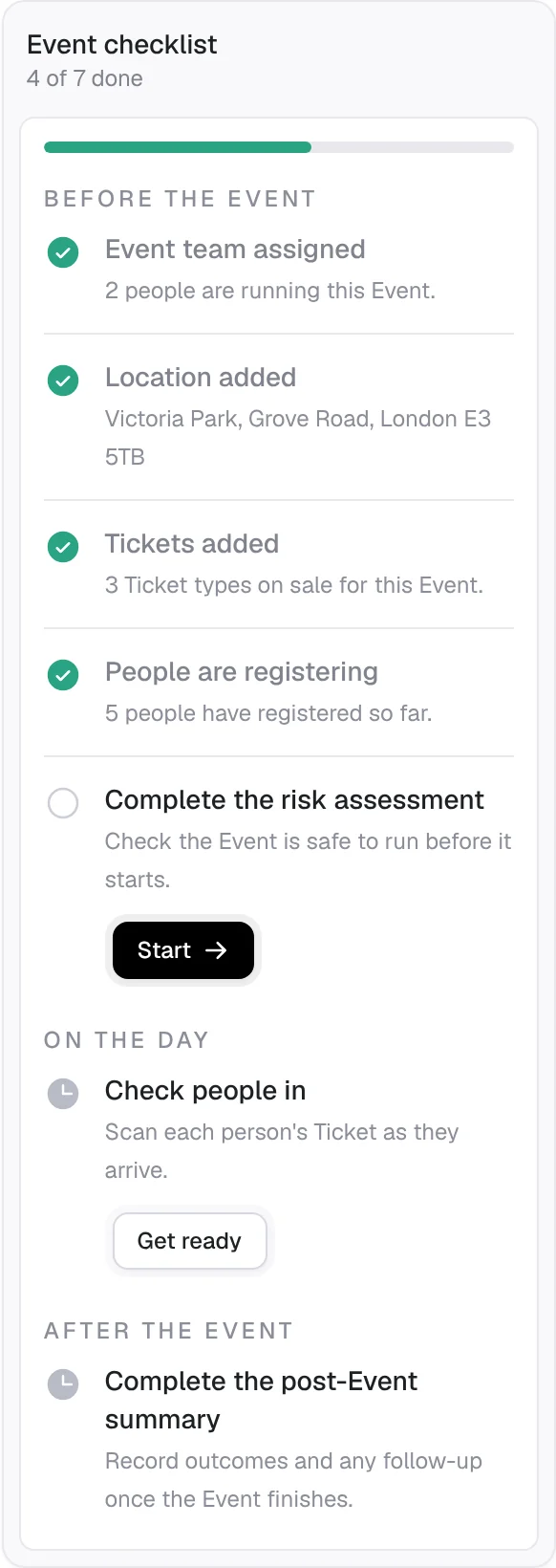
Event checklist: Each Event now has a to-do checklist showing what is done and what is left, before, during and after the Event.
-
Post-Event summary: Complete the summary of each Event in the app once it ends.
-
Sign forms during registration: Guests read and sign required forms, like a code of conduct or parental consent, as they register, already filled in with their details.
-
Connect AI assistants: Let AI assistants read your Events and attendees, and create and change Events and Tickets, only with the permissions you choose.
-
A lead organiser for each Event: Name the person leading each Event alongside its primary contact.
-
Tickets booked alongside another: Make a Ticket available only with another, such as a free child place that needs an adult.
-
Cancel Tickets and record refund reasons: Cancel a guest's Ticket and record why each refund was made.
-
Add a donation at checkout: Guests can add a donation when paying for their registration.
-
Walk-ins at check-in: Check in someone who turns up on the day with just their email or phone number.
-
Donor messages: Require a message from donors and choose the kind of field they write it in.
-
Tidy up unused forms: Delete forms nothing uses, and see where each form is used.
-
Regional videos: Watch and share StewardStack's introduction video in versions for the UK and Ireland.
Improvements
- A simpler dashboard: The dashboard is now a visual overview, with compliance and Event activity on their own tabs.
- Event money at a glance: Payment fees and money totals now show in each Event's money summary and on the Expenses page.
- Clearer free registrations: Free registrations skip the payment summary on screen and in emails.