
Organisation
Notes
Write up meetings or anything else, with files, links and an AI summary of the actions.
Included with StewardStack: your administrators install it themselves.
What it does
- Notes for anything. Private, or shared with your organisation.
- Meetings. Notes on a meeting, for an Event or not.
- Files and links. Any file, or a link to a doc or folder.
- Summary and actions. From your notes, at a tap.
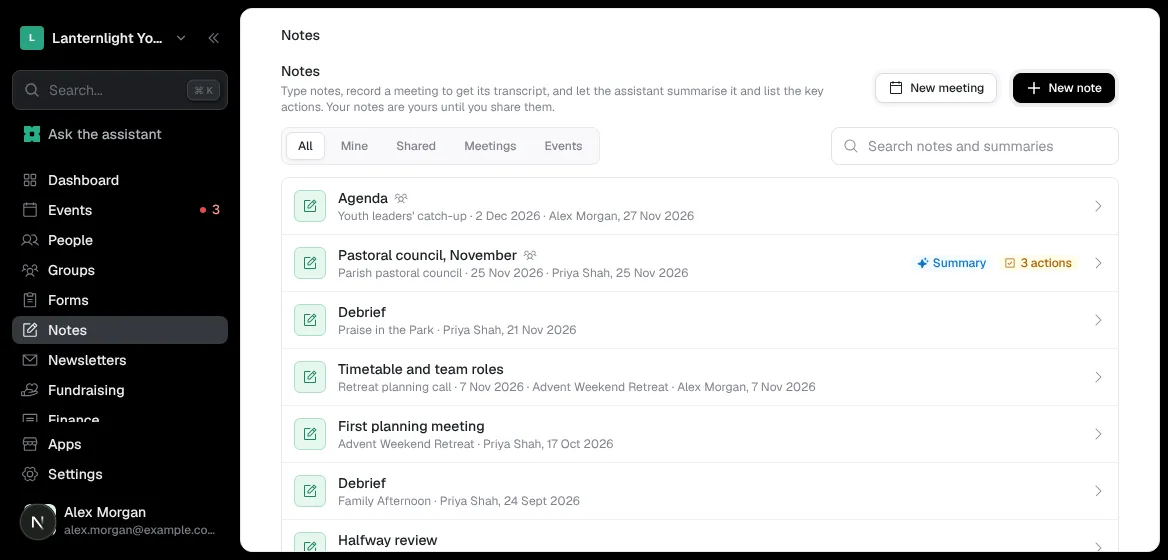
About Notes
Keep notes for anything, with headings, lists and links: a council meeting, a planning call, an idea for next year. Each note is yours alone unless you share it with your organisation, and every change to a shared note is kept.
Put a note on a meeting, which can be for one of your Events, so everything said about it is in one place. Notes on an Event's meeting are kept with the Event for its team too.
Keep files and links on a note, and share it with chosen people, groups or an Event's team. Ask for a summary and its key actions from what you wrote, and tick the actions off as they're done.
Where you’ll find it
Once it’s installed, it adds these pages to StewardStack:
- Notes
More apps & integrations
See them allSee Notes in StewardStack.
Book a demo and we’ll show you Notes working with your own Events, people and records.